Read the Sign Before You Move
SIGN-FIRST- Find SAFE LANE at the top of the screen.
- Say the word to yourself: LEFT, CENTER or RIGHT.
- Tap only after you have read it.
Every round, a SAFE LANE panel says LEFT, CENTER or RIGHT. Tap the matching button and the chicken crosses. Level 1 wants 8 safe crossings, and it plays offline.
Download Chicken RushLevel 1 is just 8 crossings. One sign, one tap, go.
Three quick habits for the road. Tap a card to choose it, copy its phrase as a pocket reminder, then jump in.
SIGN-FIRSTTHUMBS-READYEIGHT-AND-DONEThese drills are tips written for this page. They are not store offers, rewards or real promo codes. Price, ads and purchases are listed on the Google Play page for the app.
No sprawling menus. The home screen gives you PLAY, Levels, Skins and Rules, and the rest lives in the round itself.
A dark panel spells out the answer in a single word. RIGHT glows green, but the text carries the meaning, so you are never guessing from color alone.
LEFT and RIGHT are wide yellow keys. CENTER sits between them and looked dimmed in the Level 1 screenshot. Whether it locks is not stated.
Level 1 shows a Safe crossings 0 / 8 counter and a thin green bar. The Levels button on the home screen is your way to the level list.
Score and Streak sit in the top HUD while you play. Back on the home screen you will find Best streak and a LOCAL RECORD label.
The Skins button lets you change how your chicken looks. The store text does not say how many skins exist, so open the screen and see.
Settings shows an Offline · local saves pill, a Haptics switch and a reduced-motion switch. Play on a bus with no signal and keep your progress on the phone.
A round begins with the SAFE LANE panel. It shows one large word: LEFT, CENTER or RIGHT. You read it, then press the button in the bottom row that sits in the same position. The chicken runs in the top lane while blue pickup trucks loaded with carrots roll through the lanes beneath it.
Progress is counted in plain numbers. On Level 1 the line above the buttons reads Safe crossings 0 / 8, and a green bar under the SAFE LANE word fills as you go. Score and Streak sit at the top of the screen. The home screen keeps your Best streak and a LOCAL RECORD label.
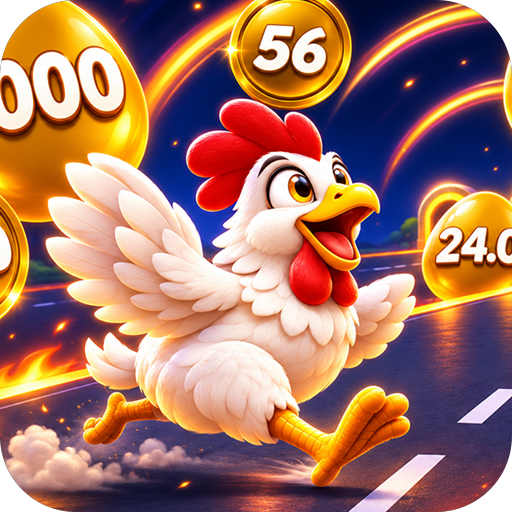
Everything is stored on the device. The Settings screen carries an Offline · local saves pill, so the game does not need a connection to run. The numbered eggs and coins on the store artwork (1000, 220, 56, 350, 18.4) are promo decoration. Their in-game meaning is not explained in our source material, so we promise nothing about them. The store lists the game as Chicken Rush, while the home screen title says ROAD SIGNALS.
| Store name | Chicken Rush |
|---|---|
| In-app title | ROAD SIGNALS |
| Platform | Android |
| Package ID | com.roadsignals.chickenrush |
| Genre | Casual reaction game |
| Controls | LEFT, CENTER, RIGHT buttons |
| Level 1 goal | 8 safe crossings |
| Connection | Offline, local saves |
| Settings | Haptics toggle, reduced-motion toggle |
| Version, size, age rating | Not shown in our source material. See the Google Play listing. |
| Data checked | 24.11.2026 |
Android game from Google Play. Install it, press PLAY, and read your first SAFE LANE sign. Check price and download size on the store listing.
Download Chicken RushRequirements, age rating, ads and in-app purchase details are shown on the Google Play page. They were not part of our source data. Last reviewed November 2026.